
In this video showcase, take an exclusive look at a 10-slide professional Project Deck PowerPoint Presentation designed to deliver complex project details with clarity, visual balance, and clean structure.
Modern business presentations demand clear structure, seamless readability, and high visual appeal. Designing a project deck requires more than placing text on a canvas—it demands an understanding of visual hierarchy, strategic color contrast, and effective data layouts. Below, we break down the core design principles demonstrated across these 10 slide concepts.
Key Features of an Effective Project Deck PowerPoint Presentation
A high-performing project presentation must instantly communicate progress, objectives, and value to stakeholders. Incorporating key layout strategies ensures your slides maintain strong professional standards:
1. Visual Hierarchy in Project Deck PowerPoint Design
Every layout directs the viewer’s eye to primary metrics first before introducing supplementary narrative copy. Utilizing proportional font sizes, distinct weight contrast, and visual grid systems prevents cognitive overload.
2. Color Schemes for Professional PowerPoint Presentation Design
Using restricted color palettes with high-contrast accent tones emphasizes critical project milestones, deadlines, and performance key performance indicators (KPIs).
3. Functional Slide Layouts for Complex Data
Replacing traditional bulleted text with custom infographic grids, process flows, and structured card components turns heavy data points into digestible visual units.
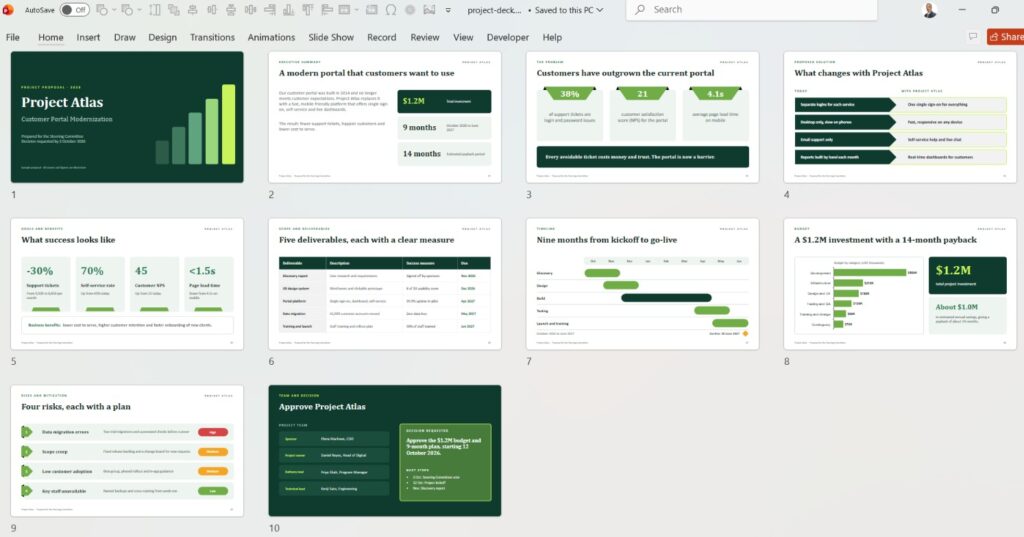
10 Project Deck PowerPoint Slide Concepts Included in the Showcase
- Executive Cover Slide: A bold visual entry setting project tone and branding.
- Project Scope & Overview: Structured grid layout outlining primary objectives.
- Strategic Timeline & Roadmap: Horizontal milestone track highlighting key dates.
- Key Performance Indicators (KPIs): Numerical highlight boxes for core metrics.
- Phase Breakdown: Multi-column layout separating operational stages.
- Resource & Team Allocation: Modern profile card design showcasing contributors.
- Budget & Financial Summary: High-impact data comparison chart layout.
- Risk Analysis Grid: Categorized matrix mapping risks and mitigation steps.
- Deliverables Checklist: Visual progress list utilizing clean vector icons.
- Closing & Action Items: Focused takeaway slide framing next steps clearly.
How Modern Slide Design Improves Stakeholder Engagement
When project decks are visual and uncluttered, decision-makers absorb recommendations faster. Applying standard layout rules across all 10 slides demonstrates how subtle adjustments in white space, alignment, and typography elevate overall communication effectiveness.
For more Professional PowerPoint Presentation Design and turorials, check this Youtube Playlist
And here you can search for Jobs for Presentation and PowerPoint designers