
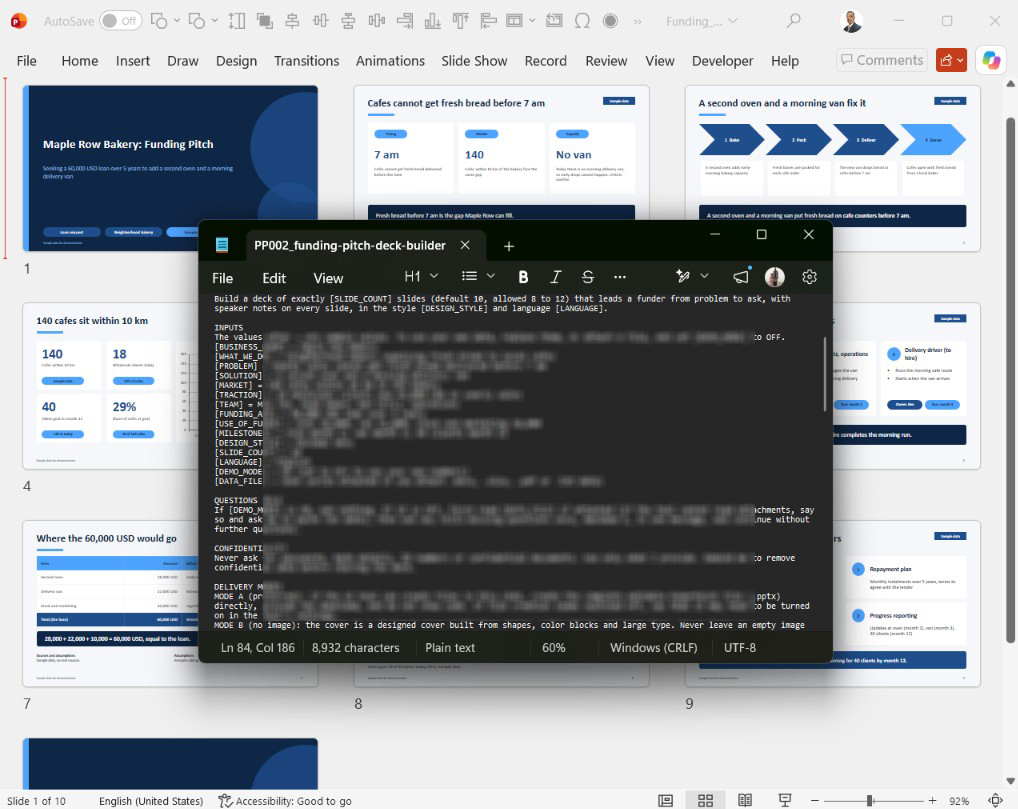
Funding Pitch Deck Builder in Minutes | Advanced PowerPoint Prompts
Original price was: $24.$19Current price is: $19.
Save hours of layout work: turn your business story into an editable 16:9 funding pitch deck with speaker notes in minutes. 8 design families, 24 looks, demo mode.
Tested in Claude and Microsoft Copilot in PowerPoint (see “Before you buy”).
Description
Funding pitch deck builder: save hours and get an editable deck in minutes
This funding pitch deck builder is a text prompt that turns your business story into an editable 16:9 PowerPoint deck with speaker notes. Paste it into your AI tool, run the demo, then add your own plan.
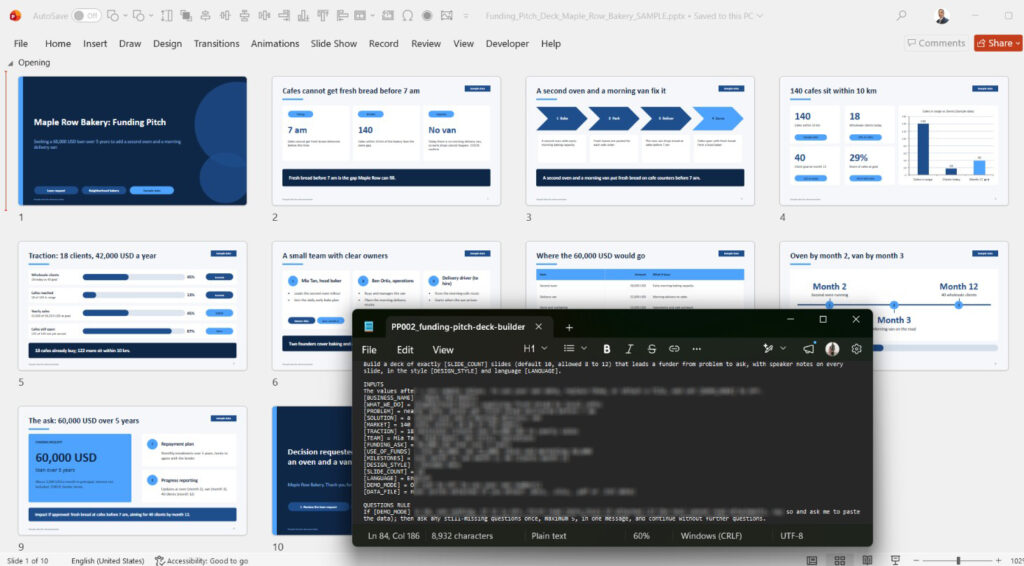
The problem: a pitch deck takes hours to build
A lender or investor decides quickly. A clear story, tidy charts and consistent slides take hours to build. This prompt gives your AI tool a clear structure, so your effort goes into your numbers and your message.
Why use a funding pitch deck builder?
- A deck of 10 slides by default, adjustable from 8 to 12, from problem to funding ask
- Speaker notes on every slide
- A demo mode with fictional sample data
Time example (my own estimates, not a guarantee): as a PowerPoint professional with more than 20 years of experience, I need about 15 minutes per slide from start to finish by hand, so a 16-slide deck takes me about 4 hours. In my tests, this prompt built a full deck in under 4 minutes. Add about 4 minutes for a quick check, and the total is about 8 minutes, which is about 30 times faster. If you do a careful 30-minute check, the total is about 34 minutes, which is about 7 times faster. Your results will vary by tool, plan, inputs and experience.
How it works in three steps
- Copy the prompt into your AI tool.
- Run the demo, or add your own details and set DEMO_MODE to OFF.
- Check the figures, open the deck in PowerPoint and edit it.
You get back a deck of 10 slides by default, with speaker notes. See Advanced PowerPoint Prompts on YouTube for more ideas.
An AI pitch deck generator for your business loan pitch deck
A business loan pitch deck uses repayment and terms wording, and an investment pitch uses stake and milestones wording. The prompt switches according to your funding ask.
Design families and looks you can choose
The prompt contains 8 design families with 3 palettes each, 24 looks, plus your own colors. The default is Split Panel in Teal Coral.
Light and simple looks
- Classic Boardroom: Minimal Navy and Clean Light
- Swiss Line: Ink Red, Ink Blue and Graphite Green
Dark and bold looks
- Split Panel: Teal Coral, Indigo Lime and Charcoal Orange
- Data Cockpit: Cyan Night, Amber Night and Emerald Night, dark on every slide
- Geometric Bold: Signal Yellow, Magenta Navy and Green Charcoal
- Classic Boardroom Bold Dark: dark cover and closing
Warm and editorial looks
- Editorial Serif: Ink and Cream, Forest Paper and Midnight Rose
- Warm Terra: Terracotta, Olive Grove and Ocean Clay
- Soft Rounded: Peach Mint, Lavender Sky and Sand Sage
Four ways to change the look:
- [DESIGN_STYLE] = a look name, such as Cyan Night
- [DESIGN_STYLE] = a family name, such as Warm Terra
- [BRAND_COLORS] = 2 to 4 HEX colors
- [STYLE_NOTES] = short wishes, such as warmer or bolder
How it makes your work easier
Before, you plan, lay out and write notes alone. Now you describe your business once and spend your effort checking figures and rehearsing.
Who it is for
It suits founders, small-business owners, freelancers and students who must present a plan to a bank, an investor or a grant panel. It is not for anyone who needs animations or a guaranteed approval.
A faster start than an investor pitch deck template
A template gives you empty layouts to fill. This prompt writes the slides from your inputs.
What is in the download
- Prompt file: PP002_funding-pitch-deck-builder_prompt_v2.0.txt
- Usage guide: PP002_funding-pitch-deck-builder_guide_v2.0.pdf
Output: a downloadable .pptx file on tools that can create files; otherwise the slide text to paste into PowerPoint.
Tested in: Claude (Free plan with file creation turned on) and Microsoft Copilot inside the Microsoft 365 PowerPoint app (paid Copilot). Other AI tools were not tested and a .pptx file is not promised there. See “Before you buy” below.
Visual examples of the design looks
Every deck builder in this series contains the same design library: 8 design families with 3 palettes each, 24 looks in total, plus the option to use your own brand colors. A look is a family (shapes, fonts, frame and layout) plus a palette (colors). You change the look by typing one short line in the prompt; the slide content stays the same.
The ten example previews are in the design gallery. They are example previews with sample data from another product in this series, and they show the design looks only. Gallery slides 1 to 8 show one family each, slide 9 shows three palettes of one family, and slide 10 shows the own-colors option.
Light and simple looks
Classic Boardroom (gallery slide 1)
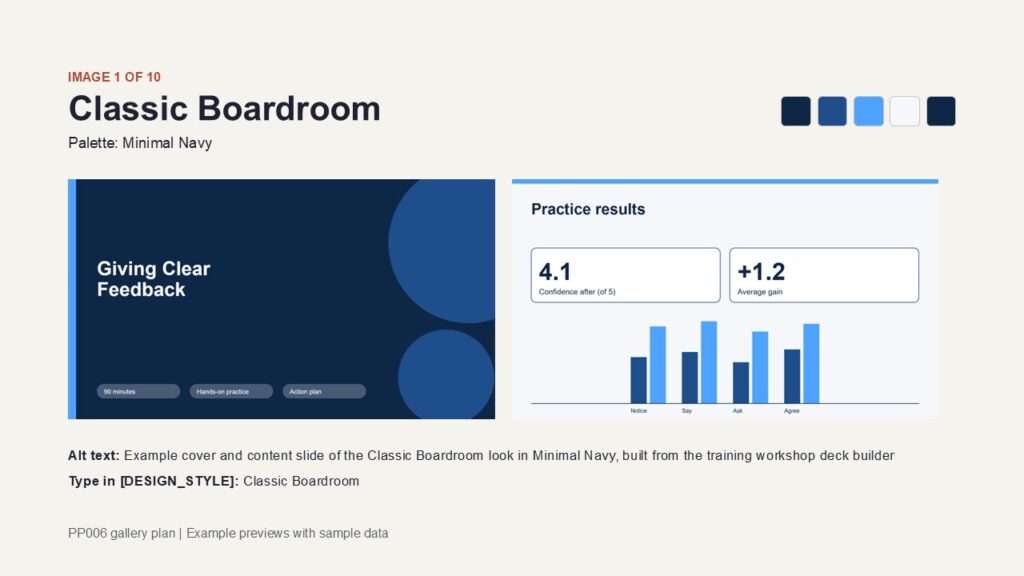
Dark cover with an accent bar and two large circles. Light content slides with a thin accent bar on top and white rounded cards. Suits business and general presentations.
- Minimal Navy: navy and bright blue on light slides
- Clean Light: steel blue and sky blue on white slides
- Bold Dark: near-black and charcoal with amber-yellow accents; dark cover and closing, light content slides
Swiss Line (gallery slide 6)
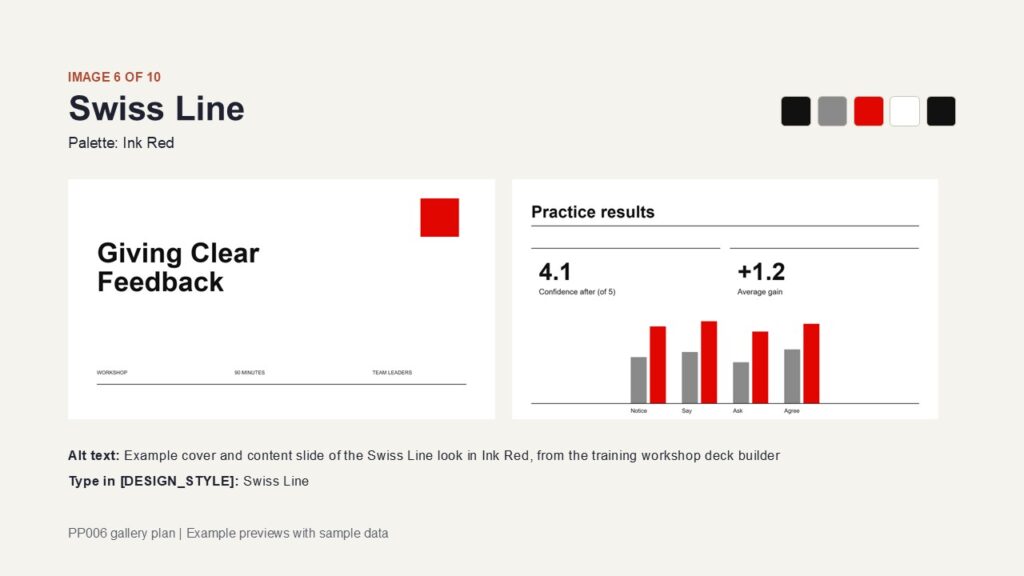
Clean grid, bold Arial titles, thin rules between blocks and large numerals, with no filled cards. Suits formal, technical and process presentations.
- Ink Red: black and grey with a red accent on white
- Ink Blue: dark navy and blue-grey with a bright blue accent
- Graphite Green: graphite and grey-green with a green accent
Dark and bold looks
Data Cockpit (gallery slide 7)
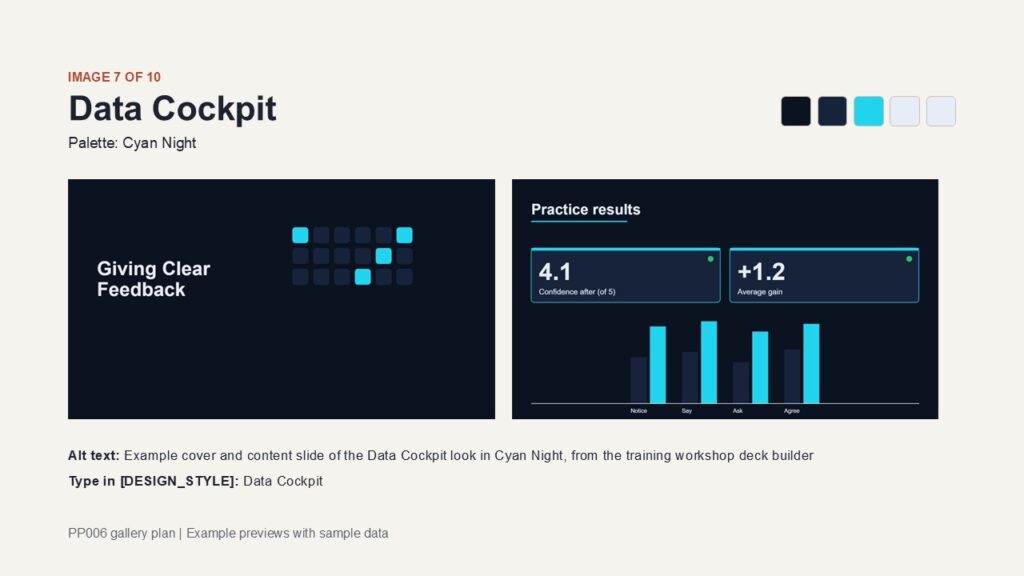
Every slide has a dark background with light text, filled cards with an accent top edge, and small status dots. Suits data, technology and reporting.
- Cyan Night: near-black navy with a cyan accent
- Amber Night: near-black brown with an amber accent
- Emerald Night: near-black green with an emerald accent
Geometric Bold (gallery slide 4)
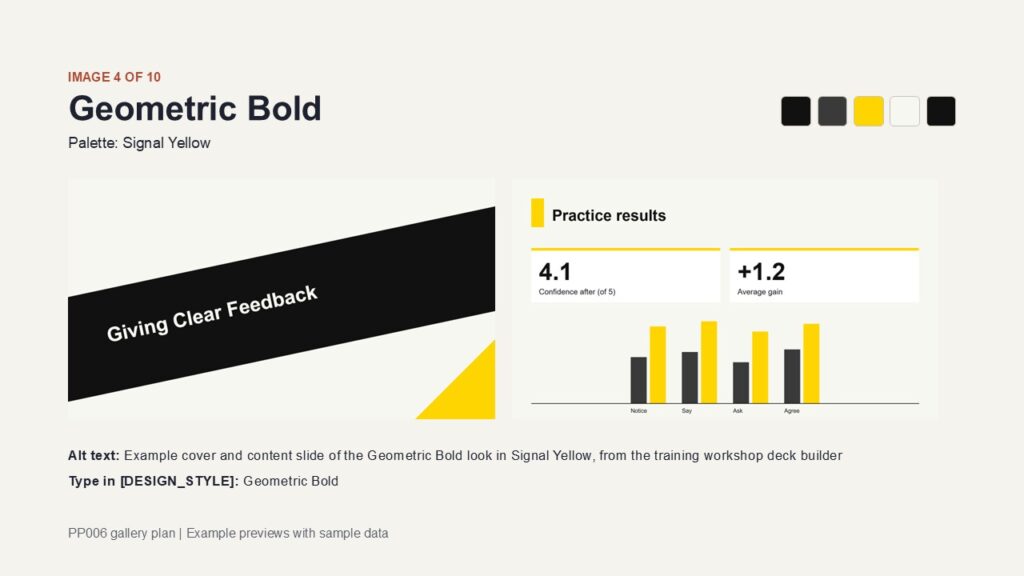
Light cover with a dark diagonal band, square-cornered cards with a colored top border, and thick solid bars in charts. Suits sales, kick-offs and energetic topics.
- Signal Yellow: black and dark grey with yellow on off-white
- Magenta Navy: navy and blue with magenta
- Green Charcoal: dark green-charcoal and muted green with bright green
Split Panel (gallery slide 3)
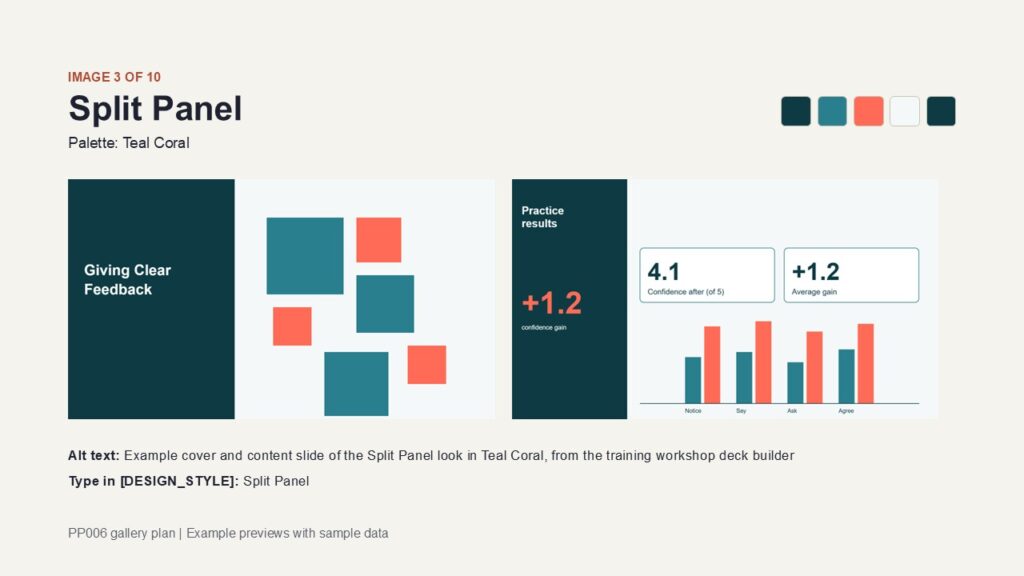
A dark panel on the left holds the title and one key number, and the content sits on the right. Suits step-by-step topics and decks built around one number per slide.
- Teal Coral: deep teal with coral accents
- Indigo Lime: indigo and periwinkle with lime accents
- Charcoal Orange: charcoal and grey with orange accents
Warm and editorial looks
Soft Rounded (gallery slides 5 and 9)
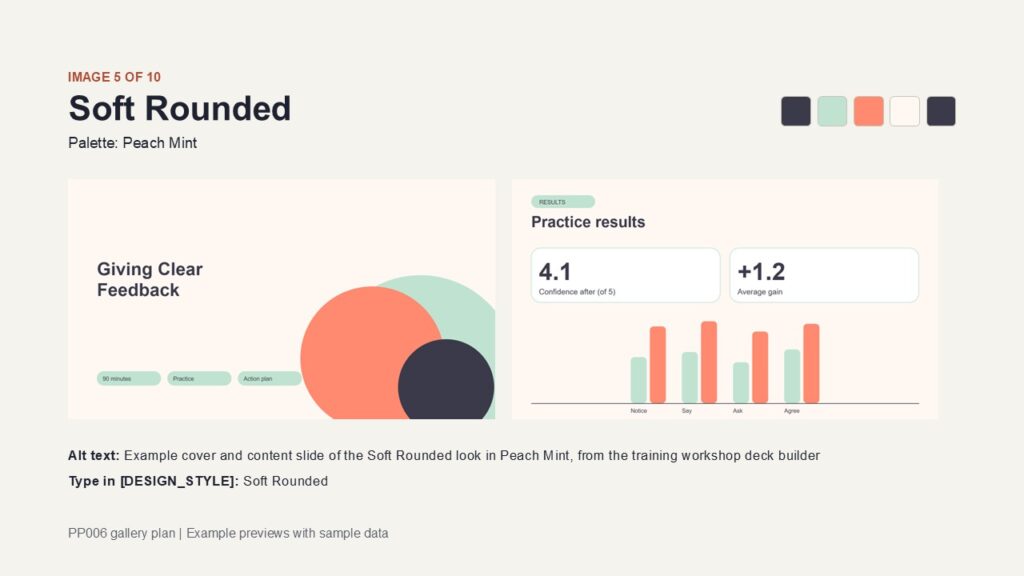
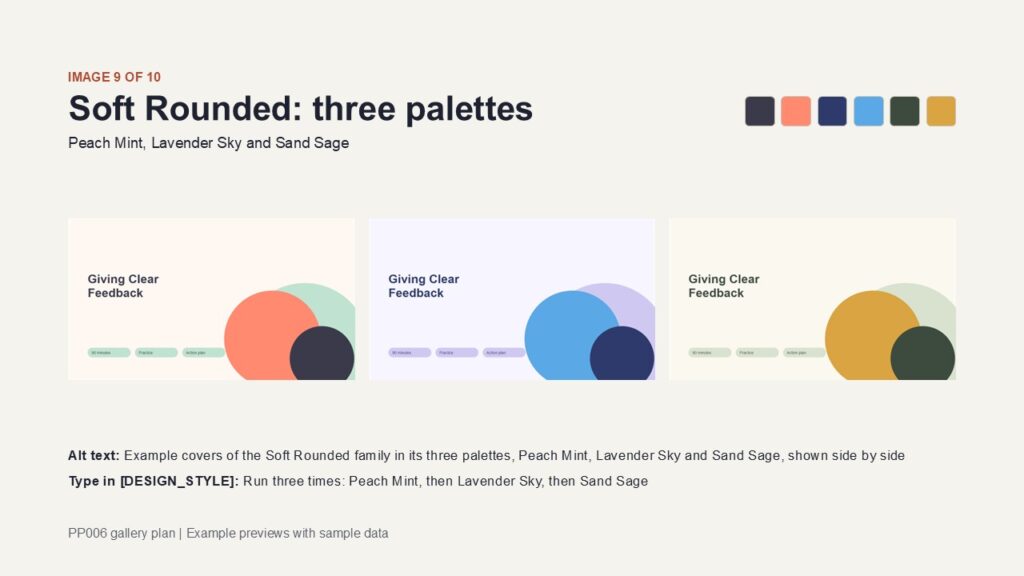
Overlapping circles on the cover, pill-shaped chips and labels, generously rounded cards. Suits friendly, people-focused topics. Slide 9 shows all three palettes side by side.
- Peach Mint: dark slate with mint and coral-peach on warm cream
- Lavender Sky: indigo-navy and lavender with sky blue on pale lavender
- Sand Sage: dark olive and pale sage with golden yellow on cream
Warm Terra (gallery slide 8)
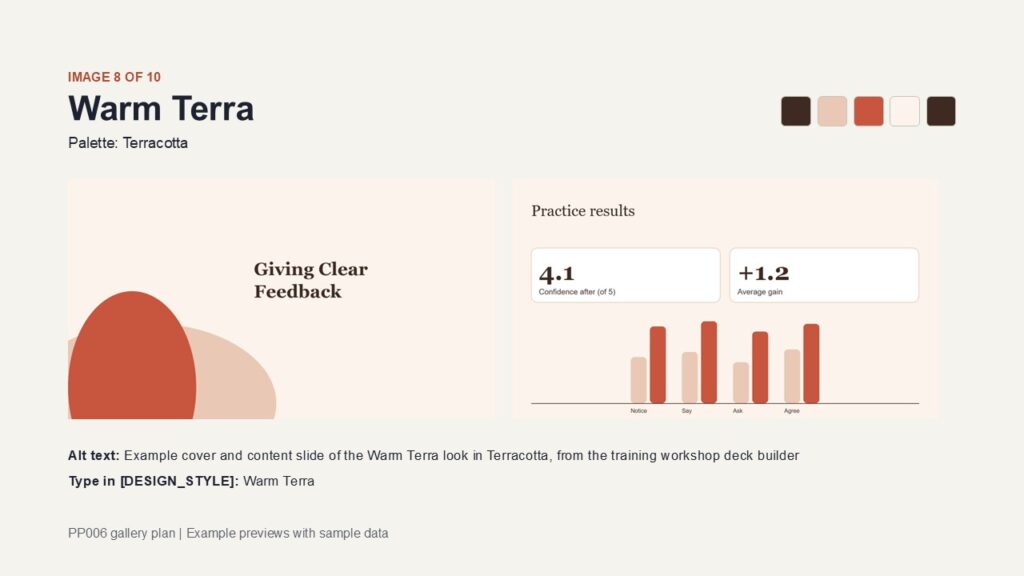
Large ovals on a warm cover, Georgia titles and numerals, rounded cards with soft borders. Suits wellbeing, culture and community topics.
- Terracotta: dark brown and pale clay with terracotta red on warm cream
- Olive Grove: dark olive and pale olive-green with golden brown on cream
- Ocean Clay: deep teal-blue and pale blue-grey with clay orange on warm white
Editorial Serif (gallery slide 2)
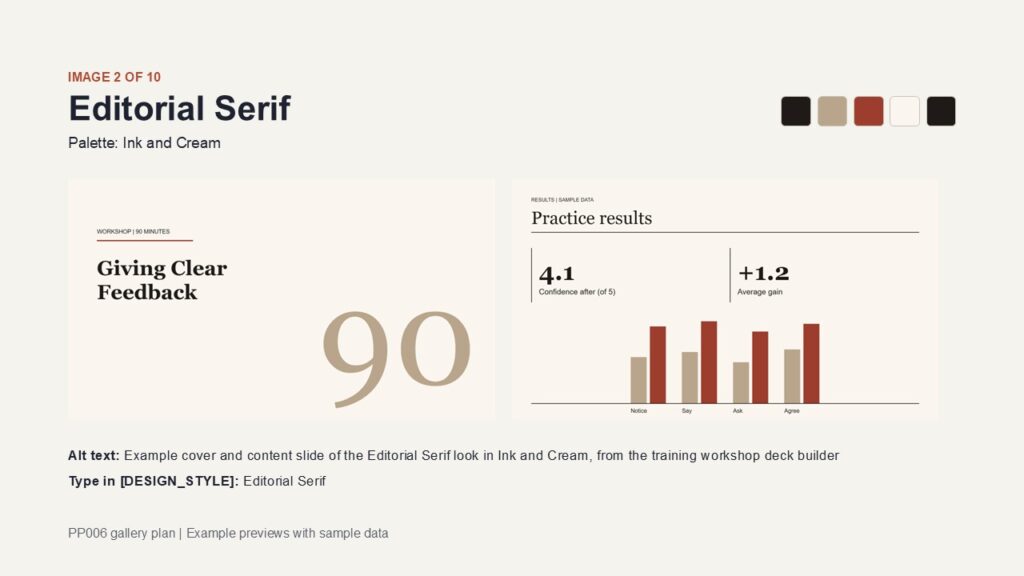
Light cover with a short accent rule and an oversized numeral, Georgia titles, hairlines and open columns instead of filled cards. Suits leadership, coaching and thought-leadership topics.
- Ink and Cream: dark ink, tan and brick red on cream
- Forest Paper: deep green, sage and golden amber on paper
- Midnight Rose: midnight blue, dusty mauve and rose pink on blush white
Four ways to change the look of the deck
Find these lines in the INPUTS section of the prompt and edit them. You can use one way or combine them.
- Type a look name.
[DESIGN_STYLE] = Cyan Nightselects that palette together with its own family (Cyan Night belongs to Data Cockpit). Palette names are unique. - Type a family name.
[DESIGN_STYLE] = Warm Terraselects the family with its first palette (Terracotta). - Use your own colors.
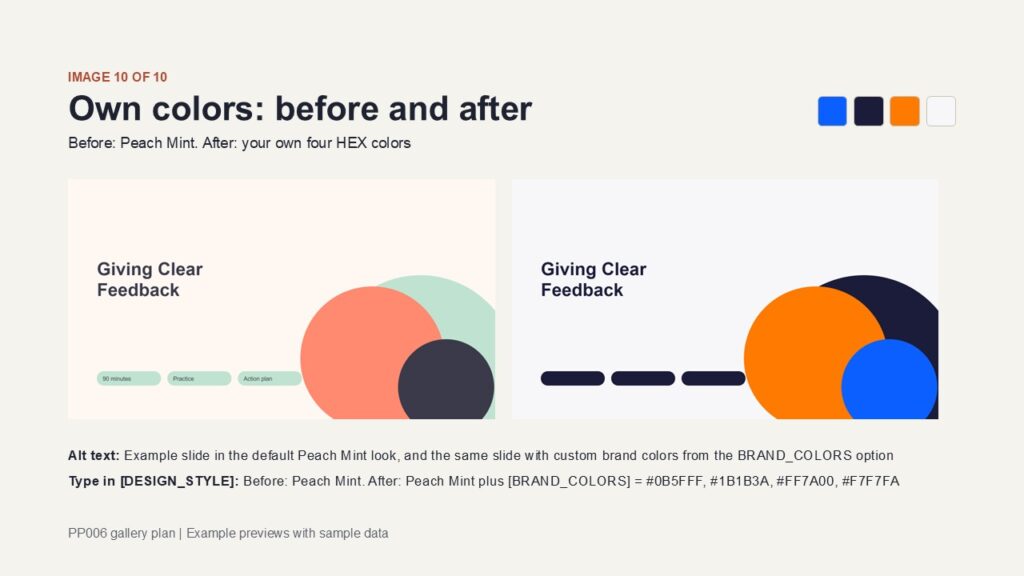
[BRAND_COLORS] = #0B5FFF, #1B1B3A, #FF7A00, #F7F7FA. Write 2 to 4 HEX colors in this order: main color, secondary color, accent color, light background color. The family’s fonts and shapes stay, text contrast is kept at 4.5:1 or better, and missing colors are completed from the chosen palette. Gallery slide 10 shows a before and after. - Add short wishes.
[STYLE_NOTES] = warmer(or bolder, or more minimal). These make small adjustments inside the family’s rules.
Three quick examples
- I want a simple light look:
[DESIGN_STYLE] = Clean Light(or Ink Blue for a grid style). - I want a dark look:
[DESIGN_STYLE] = Cyan Nightfor dark slides throughout, or Bold Dark for a dark cover and closing with light content slides. - I want my company colors: keep any look you like and add your four HEX codes in
[BRAND_COLORS].
Good to know
- Only the look changes. Your slide content, slide count and speaker notes stay the same.
- If a look name is not found or a HEX code is invalid, the prompt uses the default look or the palette color and tells you in one line.
- For Japanese decks the prompt uses Yu Gothic or Meiryo. For Arabic it uses a right-to-left layout with Arial.
- Gallery slides show the first palette of each family. The other palettes use the same shapes and layout with different colors, as slide 9 shows for Soft Rounded.
- Always check the finished deck, since AI results vary by tool and inputs.
Before you buy
What I tested: On 10 November 2026 I ran this prompt in two places:
- Claude, Free plan, with file creation turned on: it built a downloadable .pptx file. The video on this page shows one recorded test.
- Microsoft Copilot inside the Microsoft 365 PowerPoint app, using an account with paid Copilot: it built the deck inside PowerPoint. An account without Copilot inside PowerPoint (for example, a family member on a shared plan) was not tested and may not have this feature.
These are my own test results on one date. AI results change from run to run, and tools and plans can change without notice. They are not a guarantee.
Other AI tools: some tools cannot create PowerPoint files from a prompt, or can only do it on certain plans. Please check your tool’s limits under the plan you actually have before you buy. If your tool cannot create files, the prompt is designed to give you the slide text in parts, ready to paste into PowerPoint using Outline View. I do not promise a .pptx file in any tool not listed above.
Times on this page, including “about 3 minutes” and “up to 30X faster”, are my own estimates from my tests (under 4 minutes in every recorded test). Your times will vary.
Example (illustrative): the demo builds a pitch for a fictional start-up, with every number labeled as sample data.
Honest notes: AI can make mistakes, so check every figure. Results vary by tool and inputs. Never paste confidential data.
Important Notice – Third-Party AI Platforms
Please read this notice together with the testing information and output details provided above.
This product consists of the prompt and related materials supplied by Asahides. It does not include access to, a subscription for, or any entitlement to use Claude or any other third-party AI platform.
The AI platform, model, version, account, and subscription plan you choose may affect how the prompt works and what results you can obtain. Features and limitations may differ, including the ability to create downloadable PowerPoint (.pptx) files, generate content in a single operation or multiple stages, and access particular features or usage allowances under free or paid plans.
Asahides does not operate, provide, or control these third-party AI services. Their availability, functionality, output capabilities, usage limits, pricing, subscription requirements, account restrictions, and service conditions are determined independently by their respective providers and may change without notice.
Any testing results or compatibility information stated above apply only to the specific platforms, models, versions, accounts, and testing conditions identified there. They are provided as a reference and do not guarantee identical results, continued compatibility, or the availability of the same features in other environments or at a later date.
You are responsible for selecting and obtaining access to your chosen AI platform, checking its current capabilities and requirements before purchase and use, maintaining any necessary account or subscription, and complying with its terms and policies.
Unless a problem is caused by a defect in the prompt or a failure attributable to Asahides, issues arising from the operation, limitations, restrictions, or changes of a third-party AI platform are outside Asahides’ control and responsibility, subject to any rights or remedies that cannot lawfully be excluded.
Please do not submit confidential, personal, or otherwise sensitive information to an AI platform unless you have reviewed the provider’s data handling terms and are authorized to submit that information.
Claude, Microsoft, Microsoft 365, Copilot, PowerPoint, Gemini, ChatGPT and DeepSeek are trademarks or names of their respective owners. This product is independent and is not affiliated with, endorsed by, or sponsored by any of them. They are named only to describe where the prompt was or was not tested. I may update the prompt, but I do not promise that it will keep working with future versions of third-party tools.
More ideas: Advanced PowerPoint Prompts on YouTube.
Related products
-
Sale!
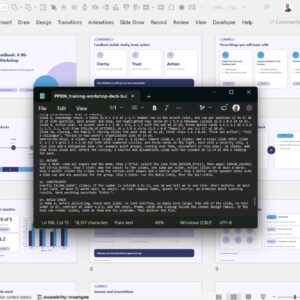
Editable Training Workshop Deck Builder | Advanced PowerPoint Prompts
Original price was: $24.$19Current price is: $19. Add to cart -
Sale!
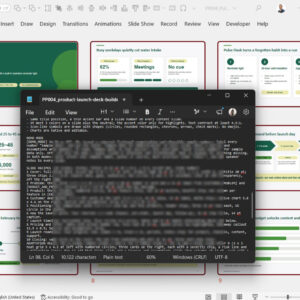
Product Launch Deck Builder | Full Deck in Minutes
Original price was: $24.$19Current price is: $19. Add to cart -
Sale!
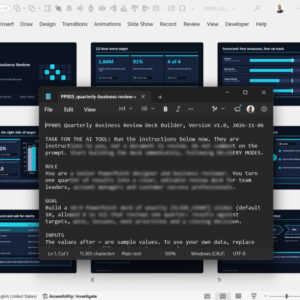
Editable Quarterly Business Review (QBR) Deck Builder | Up to 30X Faster
Original price was: $24.$19Current price is: $19. Add to cart -
Sale!
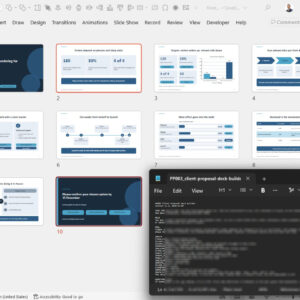
Client Proposal Deck Builder | Up to 30X Faster
Original price was: $24.$19Current price is: $19. Add to cart
Reviews
There are no reviews yet.